JustPet Wireless Dog Fence M-3: A Complete Setup Guide
Are you looking to set up the JustPet Wireless Dog Fence M-3 for your beloved furry friend? This guide will take you through the step-by-step process to ensure a safe and secure environment for your pet.
Step 1: Unboxing and Components
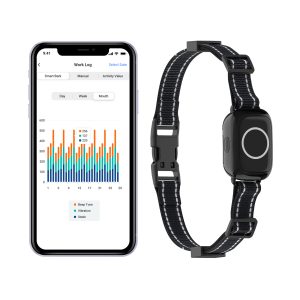
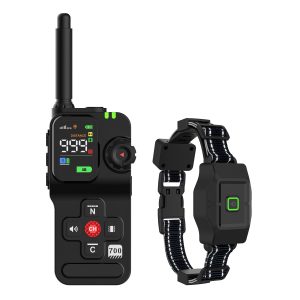
Start by unboxing the JustPet Wireless Dog Fence M-3 system. Inside, you will find the transmitter, receiver collars, boundary flags, and an instruction manual. Familiarize yourself with each component before proceeding.
Step 2: Transmitter Installation
Choose a central location in your home to place the transmitter. Ensure that it is away from metal objects and electronic devices that may interfere with the signal. Plug in the transmitter and power it on.
Step 3: Boundary Setup
Use the boundary flags to mark the perimeter within which your dog can roam freely. Adjust the range on the transmitter to set the boundaries according to your preferences. Test the signal to ensure it reaches the desired areas.
Step 4: Collar Settings
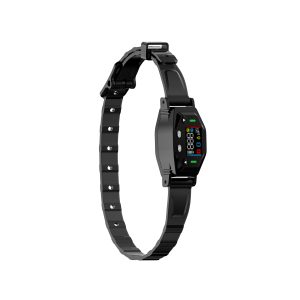
Fit the receiver collars on your dog’s neck as per the instructions provided. Adjust the settings on the collar to match your dog’s size and behavior. Introduce your dog to the collar gradually to ensure their comfort.
Step 5: Training Your Dog
It’s essential to train your dog to understand the boundaries set by the JustPet Wireless Dog Fence M-3. Use positive reinforcement techniques and reward your dog for staying within the permitted area. Monitor their progress closely during the training period.
Step 6: Fine-Tuning and Maintenance
Regularly check the system to ensure it is functioning correctly. Replace batteries in the receiver collars as needed and make adjustments to the boundaries if necessary. Keep an eye on any changes in your dog’s behavior to address potential issues promptly.
By following these steps, you can set up the JustPet Wireless Dog Fence M-3 effectively and provide your pet with a safe and controlled environment to enjoy. Remember, the well-being of your furry friend is paramount, so take the time to ensure they are comfortable with the new system.